分页: 35 / 35
Re: 猫眼浏览器(Win Release)
发表于 : 2026年 2月 17日 15:22
由 bomz
Re: 猫眼浏览器(Win Release)
发表于 : 2026年 2月 17日 18:03
由 bomz
Re: 猫眼浏览器(Win Release)
发表于 : 2026年 2月 18日 07:21
由 bomz
Another user with the same problem was found. 100% solution to the problem using this version Catsxp 5.7.4 (64 бит) Kernel: 138.0.7204.158
Re: 猫眼浏览器(Win Release)
发表于 : 2026年 2月 18日 07:22
由 bomz
Exist archive with old instalation versions? Clear Cacge extension do not clear cahce on portable version
https://www.123pan.com/s/vwsRVv-xnoxh
https://forum.ru-board.com/topic.cgi?fo ... rt=2260#14
How prevent uppdate? Using this keys --disable-catsxp-update --disable-catsxp-detect-outdated-install
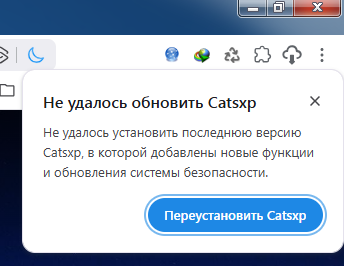
143.5.12.5 this version problem begins appear, when close windows and start new quickly, with minimum pause, withoout wait application full stop
Re: 猫眼浏览器(Win Release)
发表于 : 2026年 2月 19日 05:29
由 bomz
I find catsxp - 141.5.10.4, also have start problem
Re: 猫眼浏览器(Win Release)
发表于 : 2026年 2月 19日 14:19
由 bomz
chrome_debug.zip
138.5.7.4 Catsxp 5.7.4 (Official) (64 бит) Kernel: 138.0.7204.158
last version I may found, which starts without problem
[3268:5996:0219/130807.318:ERROR:media\base\win\mf_initializer.cc:152] Failed to start Media Foundation, accelerated media functionality may be disabled. If you're using Windows N, see
https://support.microsoft.com/en-us/top ... 3c9f6a4439 for information on how to install the Media Feature Pack. Error: Could not resolve imports for MFPlat.DLL: Не найдена указанная процедура. (0x7F)
[3268:5996:0219/130807.318:ERROR:media\base\win\mf_initializer.cc:108] Failed to start Media Foundation, accelerated media functionality may be disabled. If you're using Windows N, see
https://support.microsoft.com/en-us/top ... 3c9f6a4439 for information on how to install the Media Feature Pack. Error: Error (0x13D) while retrieving error. (0xC06D007F)
KB968211 is the Windows Media Feature Pack designed specifically for Windows 7 N and KN editions (x64), which lack native media functionality. It installs Windows Media Player and related technologies. If the update shows as "not applicable," you are likely using a standard Windows 7 version that already includes these features.
Key Details for KB968211 (x64):
Purpose: Enables media capabilities (WMP, Windows Media Center, ActiveMovie control) for restricted European/Korean Windows 7 N/KN editions.
Applicability: Only installs on Windows 7 N or KN. If you have a standard "Home Premium," "Pro," or "Ultimate" edition, this update is not required.
Error "Not Applicable": If you receive this error, check if you already have Windows Media Player installed. If so, the update is unnecessary.
Installation Method: If you have the correct version, it can be installed via the Microsoft Download Center or sometimes through Windows Update.
If you are trying to fix media issues on a non-N edition, this update will not work.
https://legacyupdate.net/download-cente ... 1-kb968211
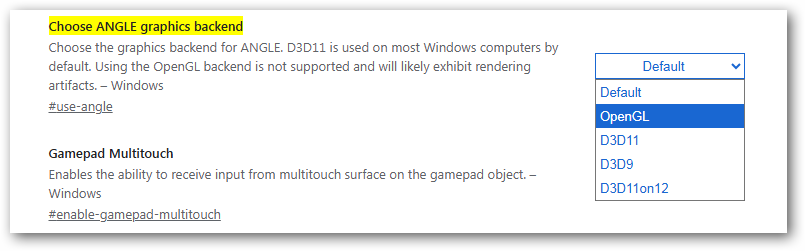
but 138.0.7204.158 version have OpenGl and starts OK. coincidence?
WIndows 10 CatsxpBrowserS 145_6_2_2 starts without problem on my PC